
Focus, routines & habits

Start the thing you've been avoiding.

You know what you need to do. You just can't start, and your phone is right there. TryCoax turns the task into a first step small enough to begin, then you put your phone down. Pick it up to scroll, and TryCoax buzzes you back. For anyone building better habits, and built to work for ADHD brains too.

Android closed beta open now. iPhone coming later.

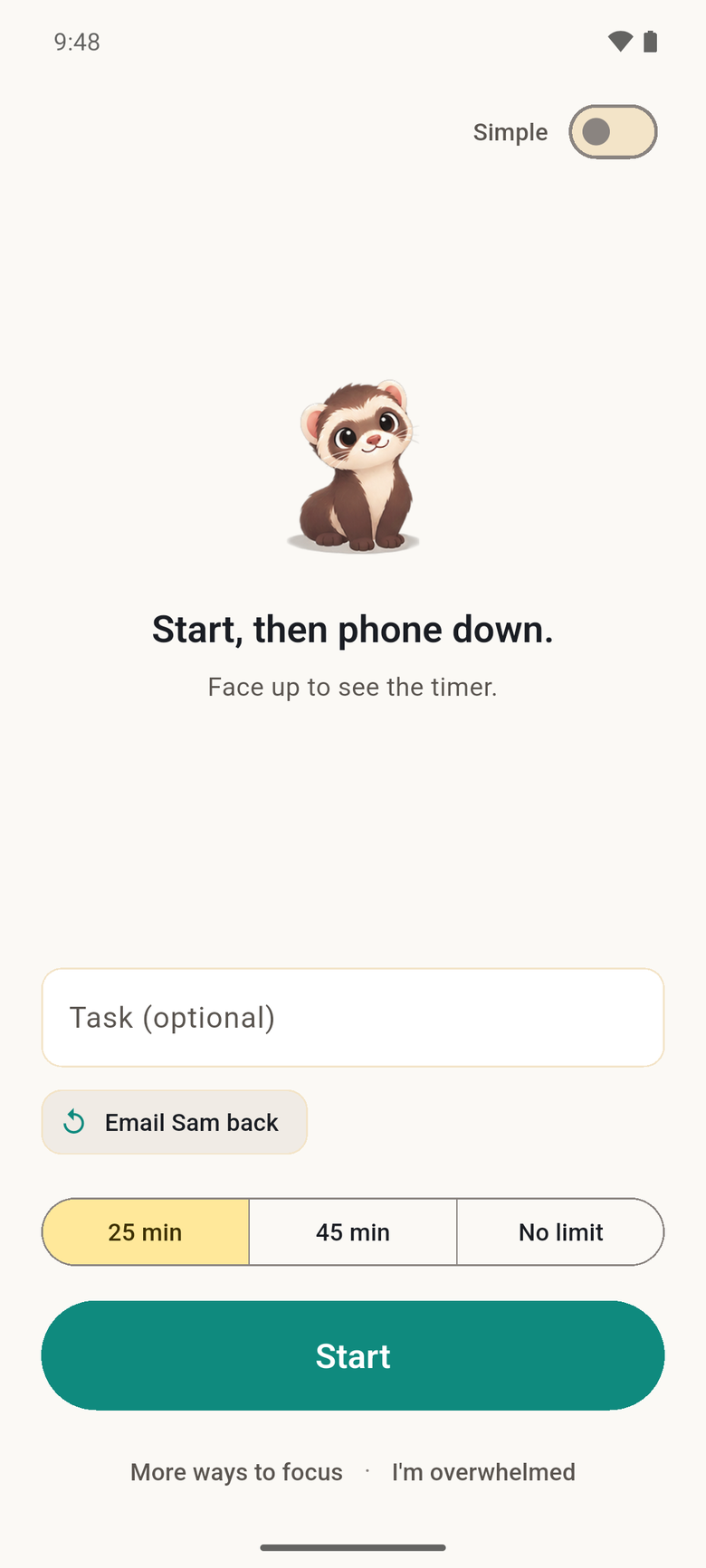
The TryCoax home screen: Start, then phone down. A task, 25 or 45 minutes or no limit, and a Start button.
Meet TryCoax, in 65 seconds

From "I can't start" to started.

A real walkthrough of the app. Jump to any part:

How it works

Built around the moment you can't start.

Not another to-do list. TryCoax is for the two minutes between knowing what to do and actually doing it.

Put your phone down. TryCoax keeps watch.

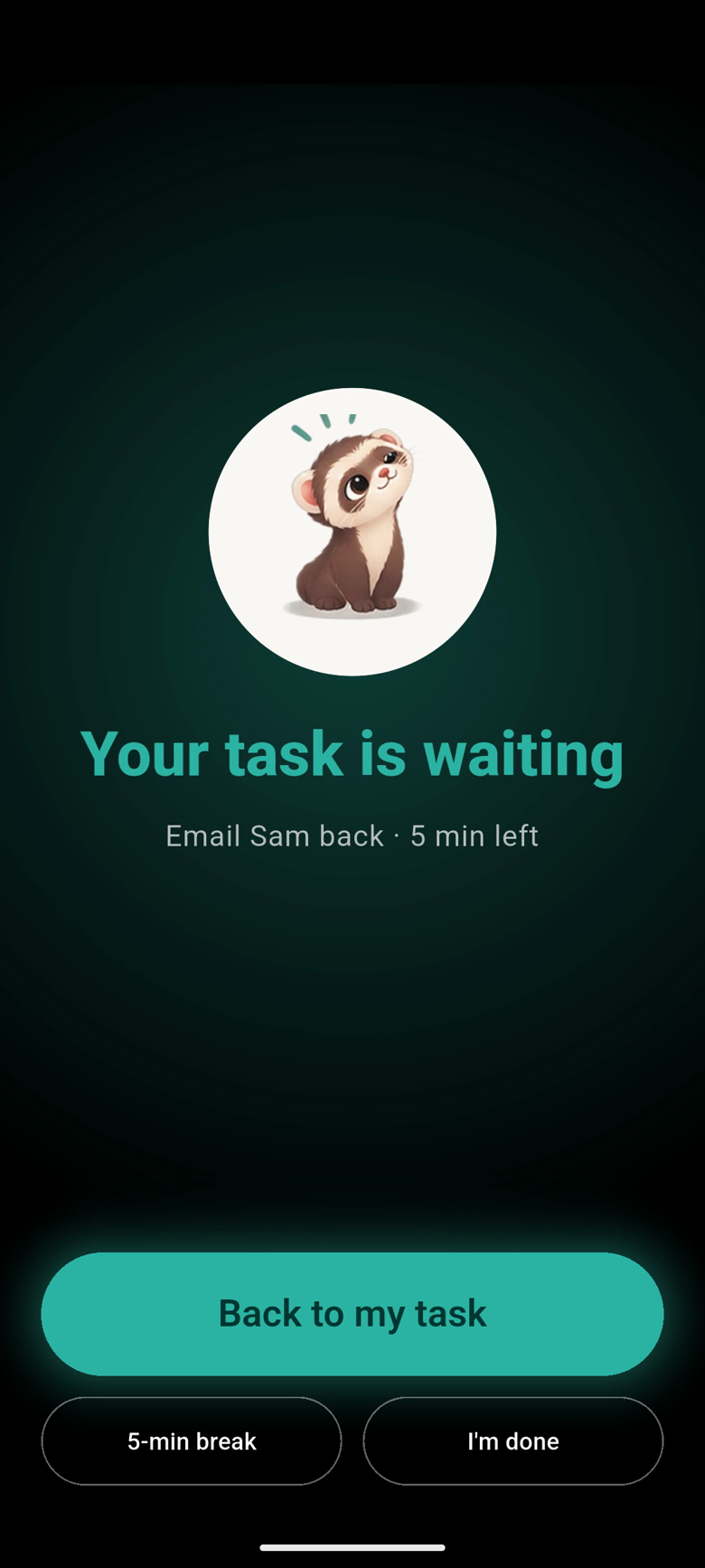
Start a focus session and set your phone down. Face up, it's a quiet timer you can glance at. Pick it up to scroll, and it gives a gentle buzz, then asks if you're getting back to it. Put it down and you're back to it. No lockouts, no blocked apps, no guilt.

  • A quick look doesn't count. Only picking it up to use it does
  • Feel the time without looking: a soft tap for every 10 minutes left
  • A 5-minute break when you need one, and a heads-up 5 minutes before the end
  • Gentle or firm buzz, your choice
Focus Guard after the phone was picked up: the ferret and Your task is waiting, with the task and 5 minutes left, a glowing Back to my task button, and 5-min break and I'm done.

Break it down until it's easy

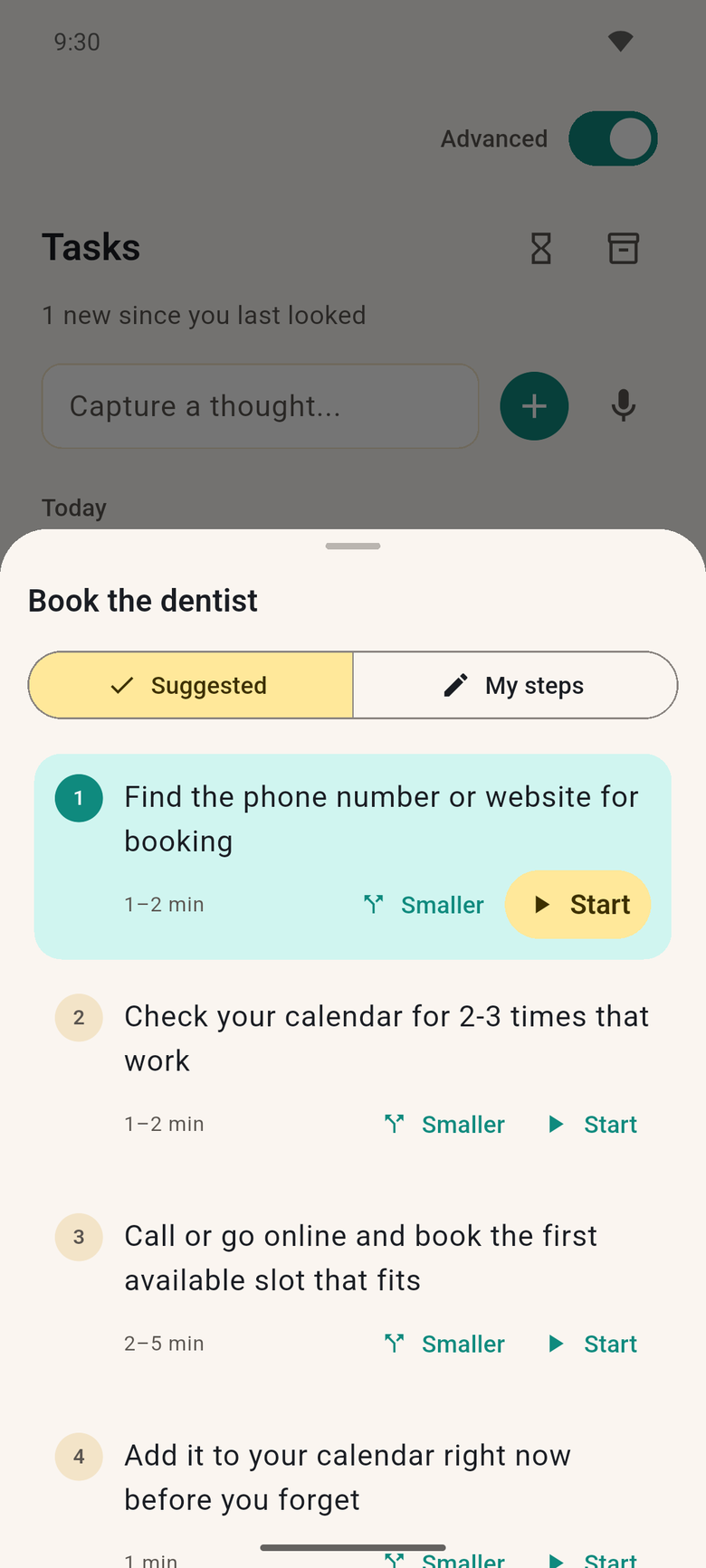
Tell TryCoax what you're putting off. It gives you one first step small enough that starting feels almost silly. Still too big? Tap Smaller.

  • Steps that take a minute or two, not an afternoon
  • Only the first step up front, so it never turns into a wall
  • Write your own steps any time
Book the dentist, broken into steps: find the phone number or website first. Each step has a time estimate, a Smaller button and Start.

A nudge you can't scroll past

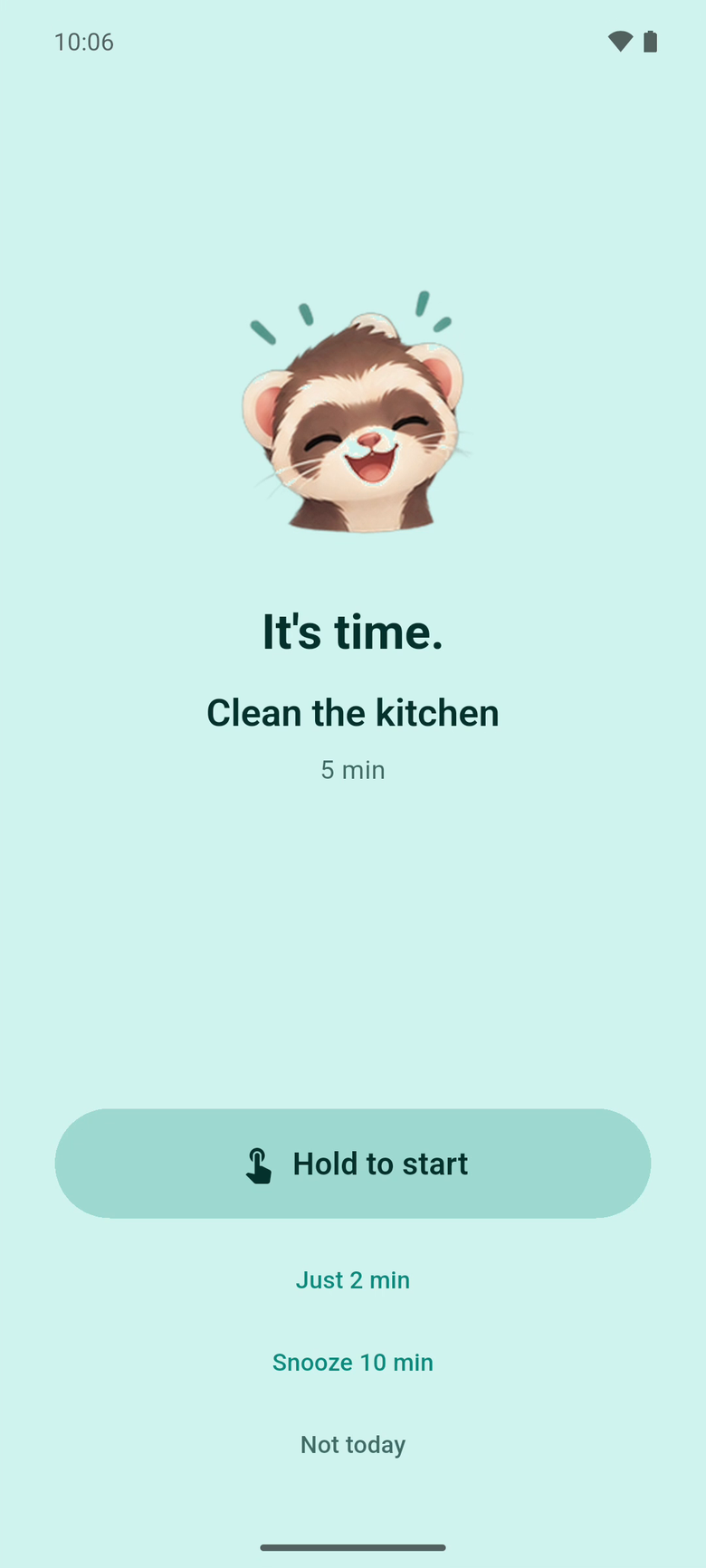
Not now? Tap Nudge me and pick a time: in 15 minutes, this evening, tomorrow morning, or any time you like. When it comes, your phone buzzes. Missed it? It comes back a few minutes later. Then you hold to start: a small, physical yes that a tap is too easy to skip. Not feeling it? Tap Just 2 min. Starting is the hard part, and two minutes is usually enough to get you going.

  • Rings again every few minutes until you start or snooze, five times at most
  • Snooze ten minutes, or let it go for today, no guilt
  • Each buzz stops after two minutes
  • Starts the first step for you, timer and all
  • Start or take Just 2 min right from the notification
The nudge screen: It's time, Clean the kitchen, and a Hold to start button with Just 2 min, Snooze 10 min and Not today below.

Can't choose? TryCoax picks one.

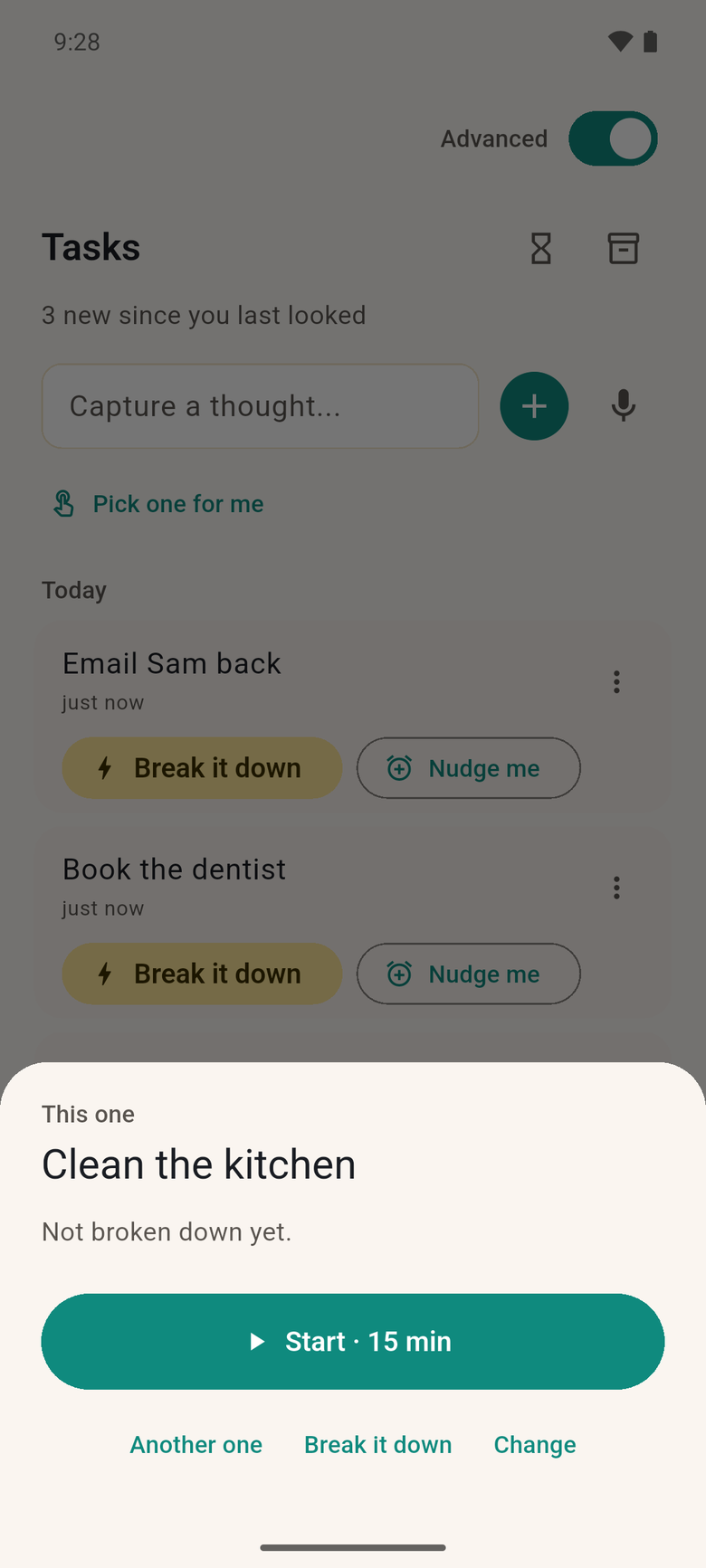
Too many things and no idea where to begin? Tap Pick one for me, say how much energy you have and how long you've got, and TryCoax hands you one task with a Start button. Not that one? Ask for another.

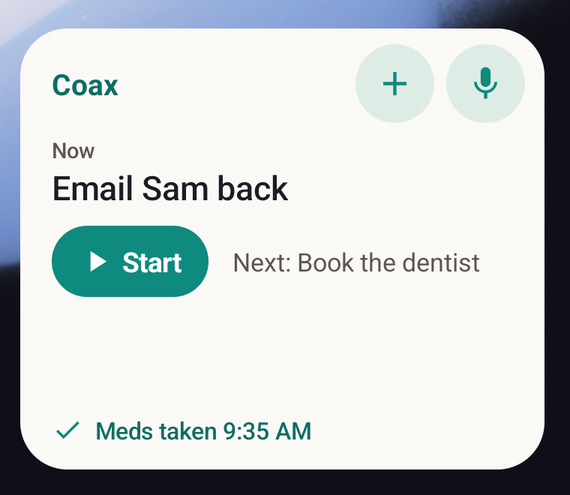
  • A home-screen widget with your next task and a Start button
  • Capture a thought from the widget or Quick Settings, by typing or by voice
  • Prefer company? Focus with ambient sound, in a quiet room with others, or paired with one person
The TryCoax home-screen widget: Now, Email Sam back, a Start button, Next: Book the dentist, and Meds taken 9:35 AM.
Pick one for me has chosen Clean the kitchen, with a Start · 15 min button and Another one, Break it down and Change below.

Meds, without the second-guessing

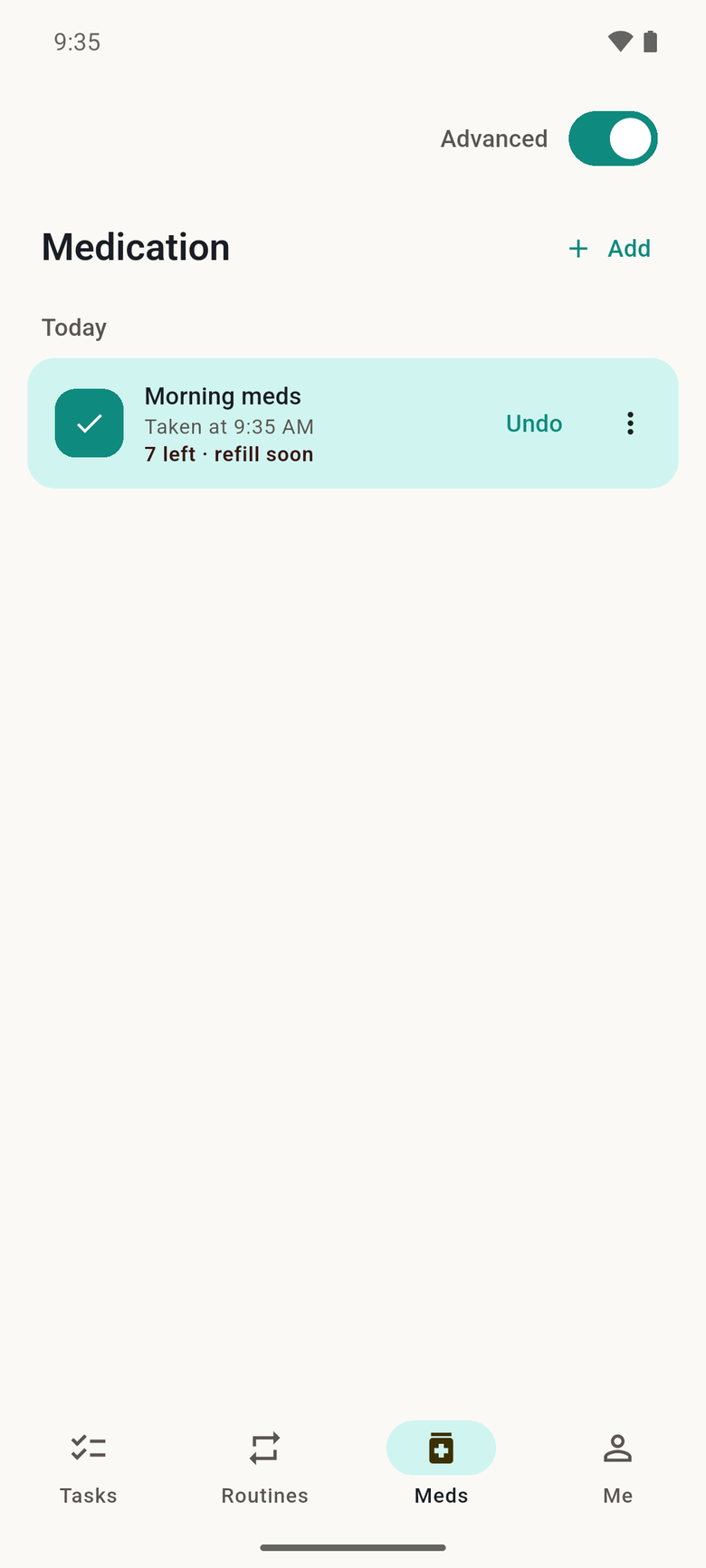
Tap Taken and it's logged with the time. "Did I take it?" is answered on your home screen and lock screen, without naming the medicine. Add a pill count and TryCoax gives you a heads-up about a week before you run out.

  • A reminder at your time: mark it taken or snooze it from the notification
  • Put a med inside a routine and get one reminder, not two
  • No adherence scores, and you can hide the Meds tab if you don't need it
The Medication screen: Morning meds, taken at 9:35 AM, 7 left, refill soon.

Routines that don't keep score

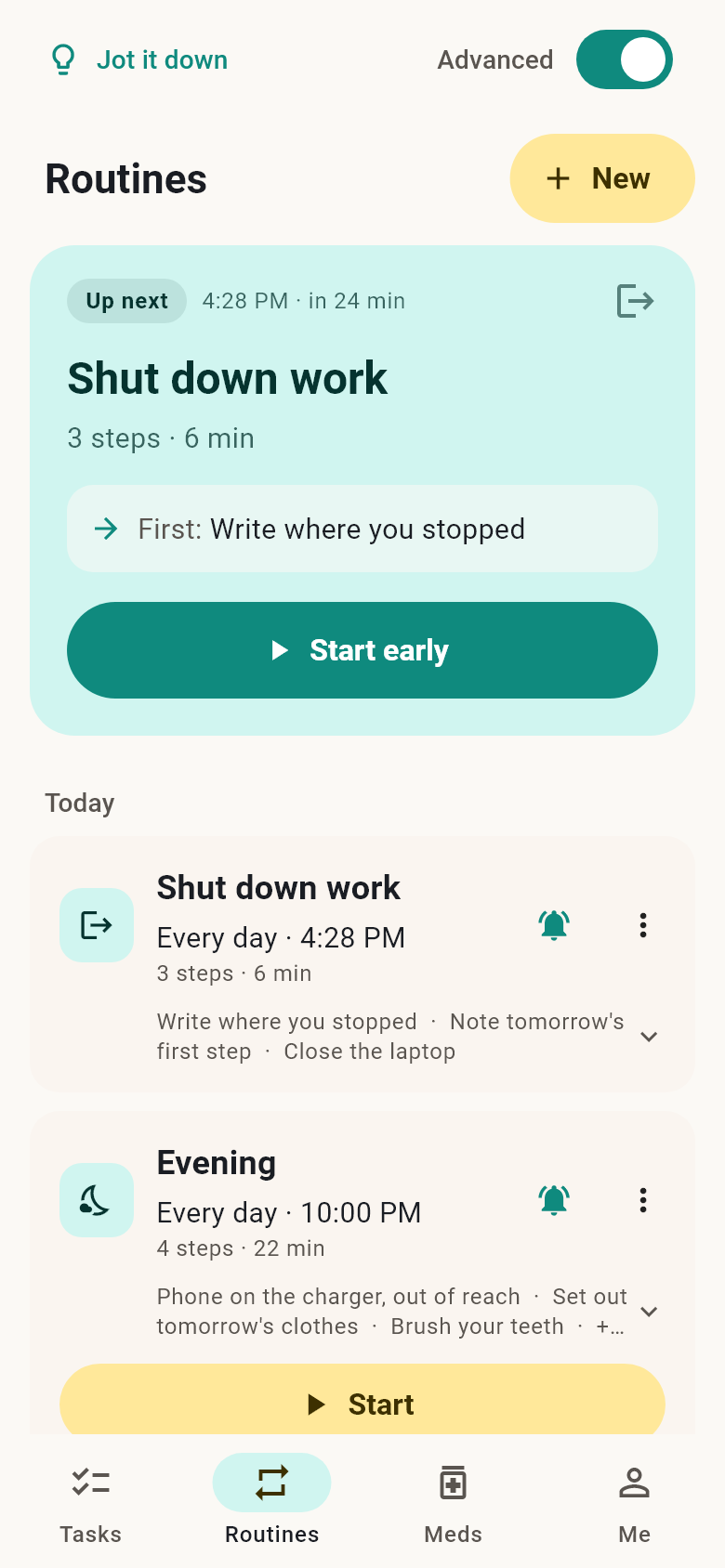
Morning, start of work, shutdown, evening. Decide the steps once. Your next routine waits at the top as Up next, with when it starts and its first step. When it's time, tap Start now, and TryCoax walks you through it one step at a time. Skip a step and nothing happens, nothing is marked.

  • Ready-made routines to start from, every step editable
  • A reminder at the routine's time; tap it and the routine starts
  • Done for today? Tomorrow's first routine is already up next
The Routines screen: an Up next card for Shut down work in 24 minutes, its first step, and Start early, with today's routines below.
The TryCoax ferret, cheering.

Built so you can come back.

No streaks to break. No red badges. No pile of overdue items waiting for you. Things you never got to quietly archive themselves, and after a break you come back to a clean screen and a friendly ferret.

Pricing

Free where it matters. Plus when you want more.

Every account starts with 14 days of everything, free, no card needed. When it ends you keep the free plan, and nothing is charged unless you choose Plus.

Free, forever

Focus sessions and Focus Guard, visual timers, routines, meds, quick capture, the widget, focus rooms, and Emergency Mode for when everything is too much. Plus 3 AI breakdowns a week.

TryCoax Plus

$14.99 a month, or $99.99 a year. AI task breakdowns, up to 60 a day, and more poses, scenes and props for your companion.

Family

$149.99 a year. Everything in Plus for you, and the parent view: see what your teen chooses to share. Your teen decides what you see.

US prices; the store shows yours. Can't afford Plus? Email us for a discount or free access, no questions asked.

Privacy

Your data stays yours.

On your phone

Your tasks, sessions, routines and medication log live on your device. No account needed.

Never shared

Medication and check-ins are never sent to anyone. No ads, no data sale, ever.

Yours to take or erase

Export everything, or delete everything, in one tap.

Read the privacy policy · Terms

Android closed beta

Try TryCoax before anyone else.

Three steps, about two minutes. Use the same Google account for all three: the one signed in to Google Play on your phone.

  1. Join the tester group

    Open the TryCoax testers group and tap Join group. This is what lets your account into the beta.

    Group: trycoax@googlegroups.com

    Join the group
  2. Become a tester

    On your Android phone, open the testing page and tap Become a tester. If it says you're not eligible yet, wait a few minutes after joining the group and try again.

    Open the testing page
  3. Install from Google Play

    Tap Download it on Google Play on that page, or find TryCoax in the Play Store. Updates arrive like any other app.

    Send beta feedback

On iPhone? TryCoax for iOS is coming later. Email us and we'll tell you when.